
Overview
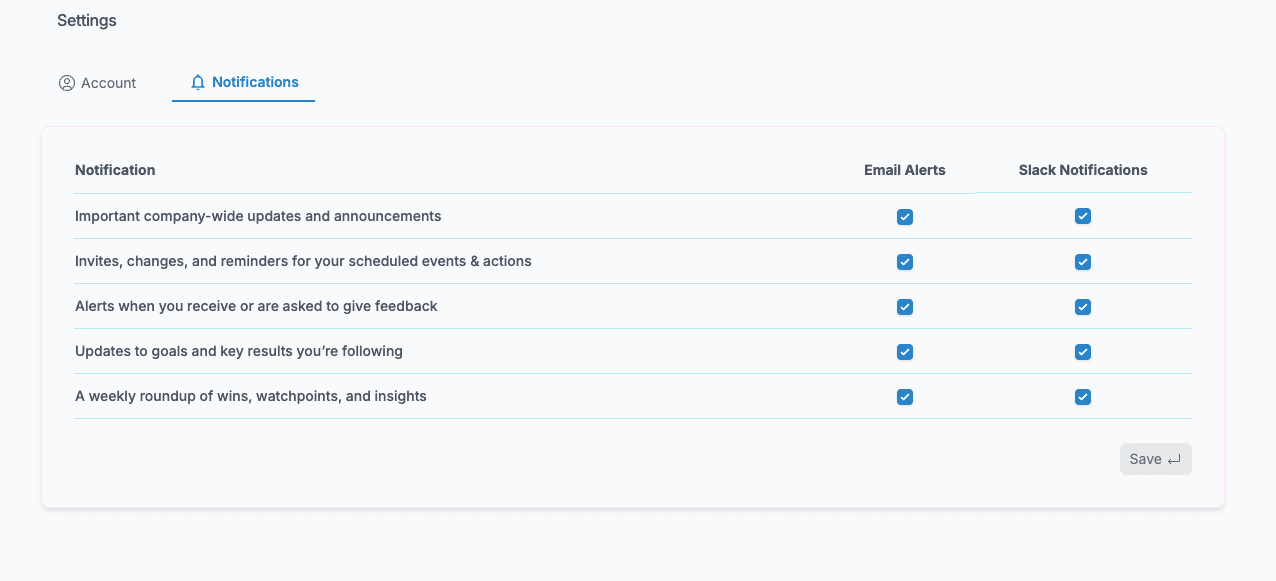
We’ve added Slack notifications to ClarityLoop not to send more messages, but to make the important ones easier to catch. Now, when something meaningful happens, like a new piece of feedback, a goal update, or a 1:1 note, you’ll see it in Slack right where you're already working. No tab-switching. No inbox digging. It’s fast, contextual, and designed to be just signal, no noise.
We’ve added Slack notifications to ClarityLoop – not to send more messages, but to make the important ones easier to catch.
Now, when something meaningful happens – a new piece of feedback, a goal update, a 1:1 note – you’ll see it in Slack. Right where you’re already working. No tab-switching. No inbox digging.
It’s fast. It’s contextual. And it’s designed to be just signal, no noise.
You’re in control. You can pick what comes through, or turn it off entirely.
Like most of what we build, this came directly from conversations with customers.
The ask was simple:
“Just help me stay on top of the things that matter — without breaking my flow.”
Done.